 Right Away Cube
Right Away Cube
- Developer:
- Logic Fusion
- Released:
- October 2026
- Last updated:
- October 2026
- Technology:
- HTML5 (Godot)
- Platforms:
- Browser (desktop, mobile)
- Orientation:
- Portrait or landscape
- Controls:
- Drag to spin the cube; click or tap an arrow to send it; scroll or pinch to zoom
A 3D arrow puzzle: spin the cube and tap an arrow, and it slides off the edge of its face unless something is in its way. 1,000 cubes across 20 chapters, with bombs, portals, colour gates and giant cubes.
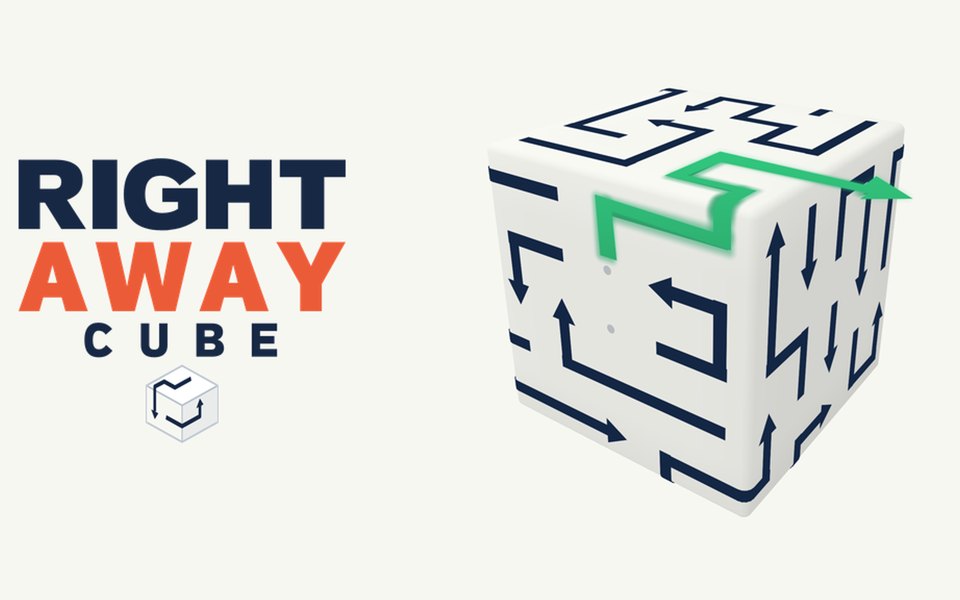
Right Away Cube is a 3D arrow puzzle you play in your browser. Arrows cover all six faces of a cube and bend over its edges. Tap one and it slides along its own path until it leaves the edge of its face, unless another arrow is in the way. Spin the cube, find the right order, and clear every face.
Puzzles start on tiny 3x3 cubes and build up to giant 10x10 cubes with more than 100 arrows, with hard levels and chapter bosses along the way. Because arrows wrap around edges onto the next face, you have to think in three dimensions: the arrow blocking you might be around the corner.
If you like turning a Rubik's Cube or solving 3D block puzzles, Right Away Cube gives you the same hands-on spatial thinking, in calm, bite-sized levels.
How to play the 3D arrow puzzle
Drag to spin the cube and look at all six sides. Tap an arrow: if the path in front of its tip is clear to the edge, it slides off the cube. If another arrow blocks it, it bounces back and you lose one of your three lives. Clear every arrow on every face to solve the cube.
Features
- 1,000 3D puzzles in 20 chapters, from 3x3 cubes to 10x10 giants with 100+ arrows
- Arrows that bend over the edges onto the next face
- 8 clever pieces with tip cards and practice levels: rotators, bombs (they reach across edges too), keys and locks, portals, frozen arrows, one-way gates, armoured arrows and colour gates on the cube's edges
- Up to 3 stars per level: clear it, make no mistakes, and beat the target time
- A world map to replay any level, and a collection of every piece you find
- A new daily puzzle every day
- Hints that show an arrow that can leave and turn the cube towards it
- No countdown, three calm music themes, and progress saved in this browser after every move
Tips
- Give the cube a full spin before your first tap. The easiest arrow is often on a face you can't see yet.
- Follow an arrow over the edge: a path that looks clear on one face can be blocked on the next.
- Corners are crowded. Clear the middle of a face first to make room.
- Use bombs near edges: they clear arrows on both sides of the corner.
- Lost all your lives? Refill them and keep the cube exactly as it was.
FAQ
How do you play the arrow cube game?
Spin the cube, tap an arrow whose path to the edge of its face is clear, and repeat until every face is empty. A blocked arrow bounces back and costs a life.
Is Right Away Cube hard?
It starts easy on small cubes and gets properly tricky on the 10x10 cubes, where arrows wrap around several faces. Hints are there when you get stuck.
Can I play it in a browser without downloading?
Yes. It runs in your web browser on a computer, phone or tablet, and saves your progress in that browser.
How is it different from Right Away?
Right Away is played on a flat board. Right Away Cube puts the arrows on the six faces of a cube, so you rotate it and plan around the edges.
How many levels does it have?
1,000 cubes in 20 chapters, plus a new daily puzzle every day.